GPS-verified mobile clock-in app for employee timekeeping
Records GPS-verified clock-ins and clock-outs from a worker's smartphone, replacing shared fingerprint terminals. VATO EC's FT Work runs on Android and centralizes daily and monthly hours on a personal device. The app shows location-stamped timesheets, flags late arrivals with visual markers, and attaches photos or notes for shift discrepancies. It's aimed at employees, contractors, and partners who need a contactless, verifiable attendance record tied to a company HR system.
How does the app record attendance?
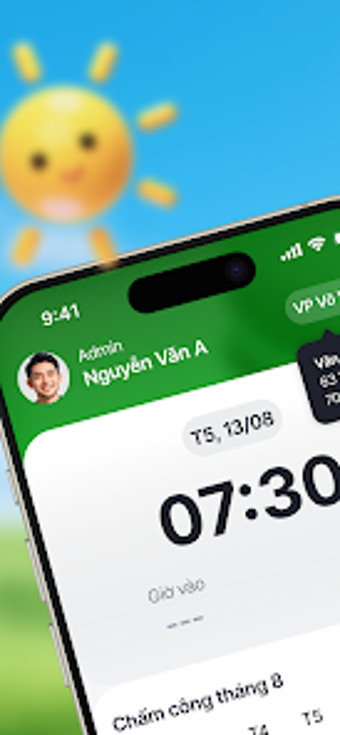
FT Work uses a slider-based clock-in that captures GPS coordinates and a timestamp when the user starts a shift, so each entry includes a precise location stamp. The interface accepts direct photo and data attachments for a logged session, which becomes part of the historical record. These recorded entries are intended to replace physical timekeeping hardware by keeping verifiable logs on the employee's Android device.
How much control do users have over reviewing hours?
The app presents a dashboard that displays real-time totals for today and aggregated monthly hours, and it offers filters to view any selected date in history. Visual indicators mark late arrivals or missed hours in color, making discrepancies obvious at a glance. Users can open a specific timesheet entry to see the exact time, GPS coordinates, and any attached photo or notes for that session.
Does FT Work affect day-to-day workflow or require technical setup?
Setup is minimal: employees open the app and slide to register attendance, which keeps the process close to a single interaction rather than a multi-step routine. Because the app runs on the worker's phone, there's no shared equipment to access, and the contactless operation shortens the shift-start process. The reliance on device GPS means correct location permissions and basic Android configuration are necessary.
How does the app behave across organizational contexts?
FT Work centralizes timekeeping within VATO EC's HR ecosystem and is presented as a solution for partners in the FUTA Group network. The presence of GPS verification, photo attachment, and colored discrepancy markers suggests the developer built it for workplaces that require verifiable, auditable attendance records rather than casual time notes. Compatibility notes reference modern Android devices with version requirements handled through the app store.
Clear fit for organizations needing contactless, auditable attendance
FT Work is a focused attendance tool for employees and contractors who must produce verifiable time and location records; its GPS clock-ins, timestamped history, and photo attachments back that purpose. Expect a straightforward daily workflow tied to the employee's Android device, and plan for proper location permission setup since the app depends on device GPS for its core function.